Feature guide
Camera Color Picker
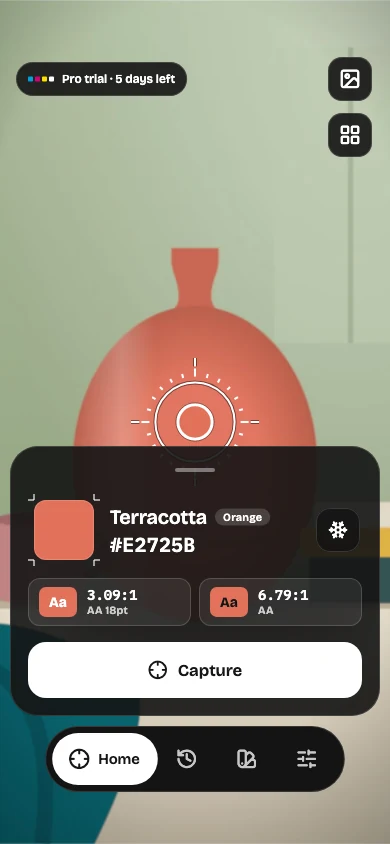
Aim your camera at a wall, fabric, yarn or print and ColorSnapr reads the color under the registration reticle as you move. Tap to freeze, copy the code, and save it with the photo it came from.
Free Free in ColorSnapr Updated:
Key facts
- Live reading under the crosshair, with HEX, color name and color family.
- Sample area of 1 pixel, 5×5 or 15×15 for fine details or textured surfaces.
- White reference: point at plain paper or a gray card to correct the light's tint.
- A confidence hint flags unstable light or movement; readings are approximate.
- Pick from photos too, and freeze one frame to pin up to 8 colors.
How it works
- 1 Open the camera tab and aim the reticle at the surface you want to read.
- 2 Optionally set a white reference with plain paper under the same light.
- 3 Tap Capture to save the color with its photo, or freeze and copy the code.
Questions
Does it work without internet?
Yes. The camera reading happens on your device and doesn't need a connection.
Why does the same wall read differently in different light?
Light changes what the camera sees. Set a white reference under the same light, and compare readings taken in similar conditions.
Try it on your phone — ColorSnapr is free to download.