Feature guide
Photo Color Memory
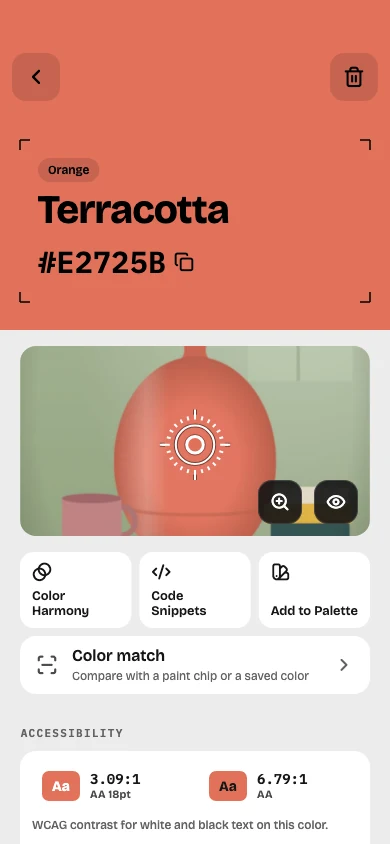
A HEX code alone forgets where it came from. ColorSnapr keeps the photo and a marker on the exact spot you picked, so weeks later you still know it was the left side of the sofa in daylight.
Free Free in ColorSnapr Updated:
Key facts
- Each capture stores the color, the photo and the pick point.
- Search your log by color name or HEX.
- Filter by color family, with a summary bar of what you've collected.
- Zoom into the photo to see what was around the pick point.
- Everything stays on your device; back it up to a file whenever you want.
How it works
- 1 Capture a color from the camera or a photo.
- 2 Open it in the Log to see the photo with its marker.
- 3 Use it again: palette, match, mixing card or code.
Questions
Are my photos uploaded?
No. Photos and colors are stored on your device. There's no account.
Can I delete a single color?
Yes. Delete any color from its detail screen, or clear all app data in Settings.
Try it on your phone — ColorSnapr is free to download.