Feature guide
Paint Mixing Request Card
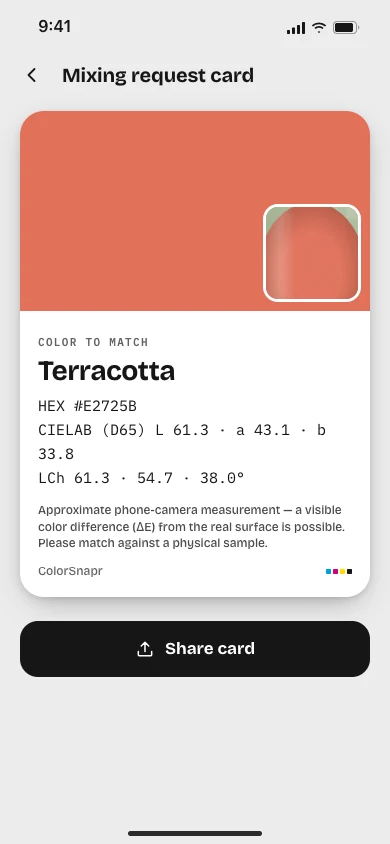
Bringing a color to a paint counter or print shop is easier with numbers and a picture. The mixing request card puts the color's values and a crop of its photo on one shareable card — so the shop can mix toward it with their own instruments.
Free Free in ColorSnapr Updated:
Key facts
- Includes HEX, CIELAB (D65) and LCh values plus a crop of the source photo.
- Share as an image through any app: messages, email or print.
- The card states that the reading is an approximate phone-camera measurement.
- It is a request card, not a paint-brand match or formula.
- With Pro, a ΔE score compares a paint chip against your saved sample.
How it works
- 1 Open a saved color and choose Mixing request card.
- 2 Check the photo crop and values.
- 3 Share the card with the shop, then confirm the mix with a physical sample.
Questions
Will the shop's paint be identical to my wall?
Not guaranteed. The card is an approximate reference; shops measure and mix with their own equipment. Always test a sample first.
Is the mixing request card free?
Yes, the mixing request card is free.
Try it on your phone — ColorSnapr is free to download.