Feature guide
Color Blind Assist
Whether you have color vision deficiency or design for people who do, ColorSnapr shows how colors look under different color vision and reads color names aloud — free.
Free Free in ColorSnapr Updated:
Key facts
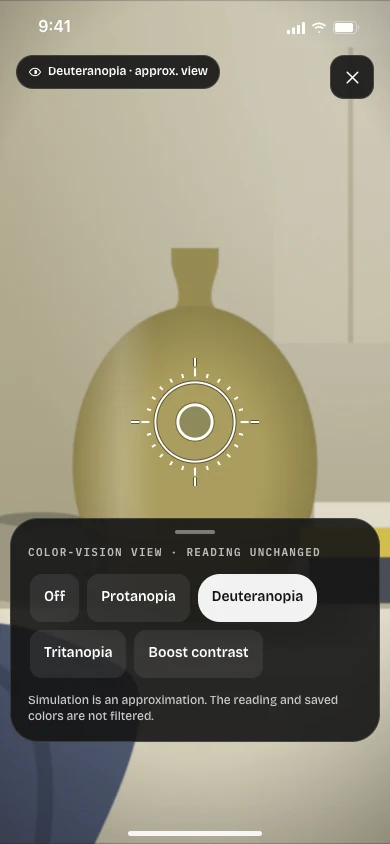
- Simulates protanopia, deuteranopia and tritanopia on the live camera.
- Boost contrast mode separates reds and greens more clearly.
- Simulations are approximate; readings and saved colors are not filtered.
- With VoiceOver or TalkBack on, the camera reads color names aloud.
- The Palette Lab (Pro) flags palette colors that are hard to tell apart.
How it works
- 1 On the camera, open the color-vision view.
- 2 Choose a simulation or Boost contrast.
- 3 Turn on VoiceOver or TalkBack to hear the color name under the reticle.
Questions
Is the color-vision view free?
Yes. The color-vision view and spoken color names are free.
Does the simulation change the saved color?
No. Only the preview changes; the reading and saved colors stay the same.
Try it on your phone — ColorSnapr is free to download.